
After the announcement of AWS Lambda Managed Instances at Re:Invent 2025 I got really curious about what actually happens when you run Lambda on your own EC2 capacity. So I got my hands dirty!
By clicking through the console, misconfiguring things, fixing them again, and trying to understand the behavior by looking at logs.
AWS calls this feature Lambda Managed Instances. Practically speaking, it allows Lambda functions to run on EC2 instances that AWS provisions and manages for you, inside your VPC, using a construct called a Capacity Provider.
This post documents what worked, what surprised me, and where things currently feel sharp or unfinished.
TLDR: Cold Starts are still a thing but also not really. 15 Minutes max execution time still stands. One Execution Environment can now have parallel invocations with all its glory and challenges. It gets a lot less serverless really quick.
Capacity Providers are the foundation
To run Lambda on EC2, the first thing you need is a Capacity Provider.
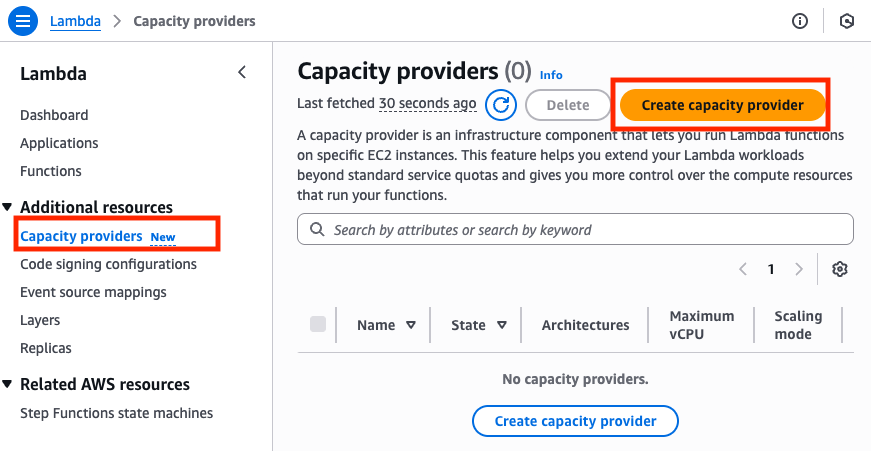
To create a Capacity Providers you need:
- The VPC and subnets your Lambda execution environments run in
- Create a new IAM Role (of course we need a role)
- Know which EC2 instance types you want to allowed
- Set scaling boundaries
Every Lambda function attached to the same Capacity Provider must be mutually trusted. This is an important mental shift compared to classic serverless Lambda, where isolation is much stronger by default.
Creating a Capacity Provider starts innocently enough with a name. After that, things become noticeably less serverless.
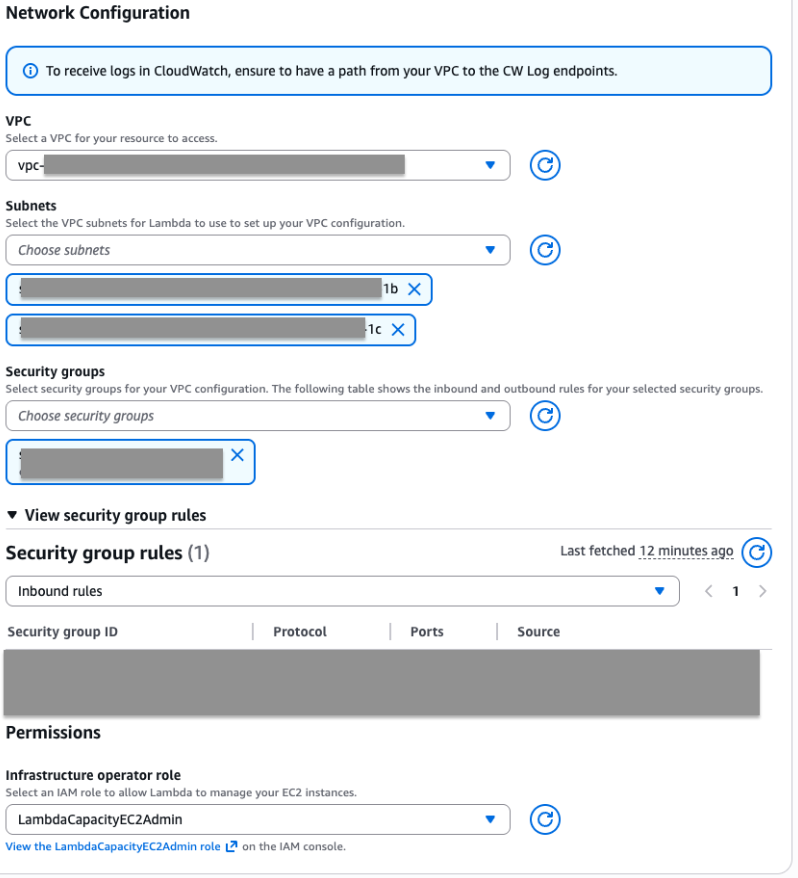
VPC is not optional knowledge
You must select a VPC and the exact subnets where Lambda execution environments will run.
I will not explain how to design a proper VPC here. That is intentional.
Take your time. Do not rush it. Make it tidy and secure.
Security groups are next. If you are unsure what to pick here, that is another learning opportunity. I do not recommend to just select something to get past the screen. Stuff will get complicated enough, I promise.
IAM: AWS helps, but only a little
To allow Lambda to provision and manage EC2 instances, you need a service role.
This role must allow Lambda to create, terminate, and manage EC2 resources. Least privilege matters here, but the documentation does not really explain what that means in practice.
Fortunately, AWS provides a managed policy called:
AWSLambdaManagedEC2ResourceOperator
Creating a new role with this policy attached is currently the pragmatic choice for testing (But don't try this at home/production). Once the role exists, you can return to the Capacity Provider creation flow and continue.
Do not skip Advanced Settings

You can now click Create capacity provider.
Do not do that.
The collapsed Advanced settings section is where most important decisions live.
Architecture
Pick your architecture. Nothing surprising here.
Instance types
This is where things get interesting.
If you leave this unrestricted, you better have very tight cost monitoring. AWS will choose instance types for you, and that can get expensive quickly.
I strongly recommend selecting Only allow instance types and explicitly listing what you want.
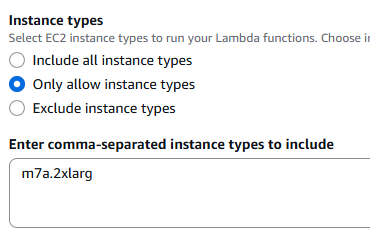
My working setup was:
- m7a.2xlarge
- 8 vCPUs
- 32 GiB RAM
If you have different workload profiles, create multiple Capacity Providers.
Maximum vCPU count
This setting is marked optional. I think that is a bad idea.
This is your first hard scaling boundary. No matter how your Lambda function is configured, it cannot scale beyond this limit.
For testing, I set it to 24. The default is 400. During my testing smaller numbers (12 is the allowed minimum) did never created a working (Spinning up EC2 instances) Capacity Provider for me.
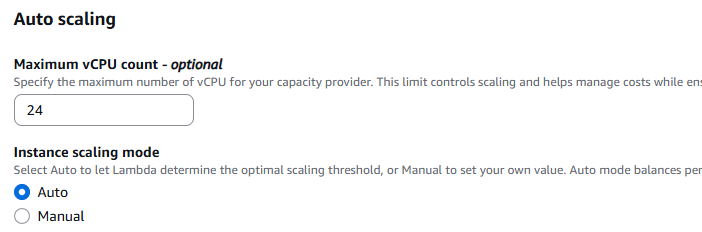
Scaling mode
You can choose:
- Auto, where AWS decides when to scale
- Manual, where you define a CPU utilization threshold
Auto works just fine. Switch if your workload demands it.
Now double check everything! Once you hit Create, you can only change scaling settings later. Everything else is fixed.
Creating the Lambda function
After creating the Capacity Provider, no EC2 instances are running yet. That is expected.
Now create a Lambda function.
The interesting part is under Additional configuration -> Compute type.
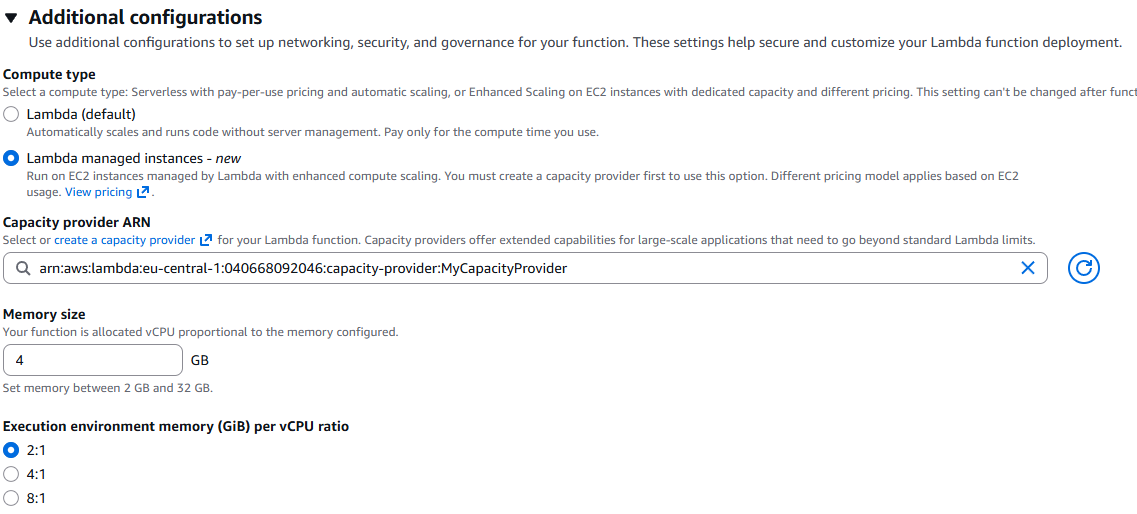
Select:
- Lambda managed instances
- Your Capacity Provider
Then choose the memory size and the memory to vCPU ratio.
I chose:
- 4 GiB memory
- 2:1 memory to vCPU ratio
That results in 2 vCPUs. With a maximum of 24 vCPUs, this leaves room to experiment with scaling.
Provisioning your Lambda
After clicking Create Function, provisioning takes time.
Two EC2 instances were created and initialized.

In my case, it took around 4 minutes. Until I could finally do something with my new Lambda Function.
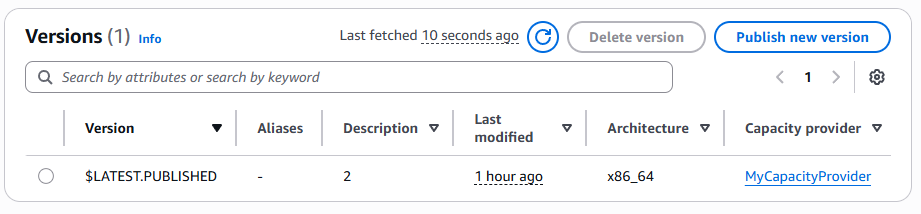
One immediate difference compared to classic Lambda is that you must deploy versions. The save-deploy-test loop in the console is way slower now. But that is fine. In real projects, the console playground should not matter anyway.
First execution and logs
A simple handler:
import json

def lambda_handler(event, context):
    return {
        'statusCode': 200,
        'body': json.dumps('Hello from Lambda!'
        )
    }
Hit test and there we go! It worked!
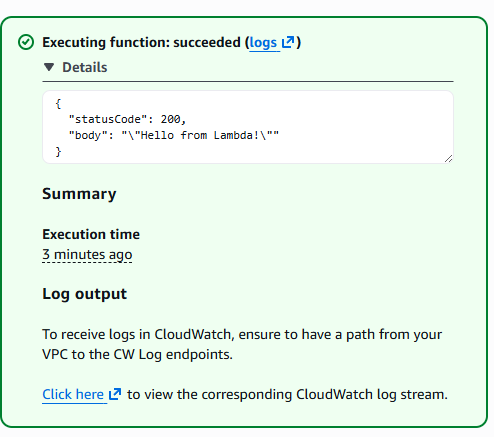
Now let's hit the logs and see what happened there.
We see 3 Log Streams!
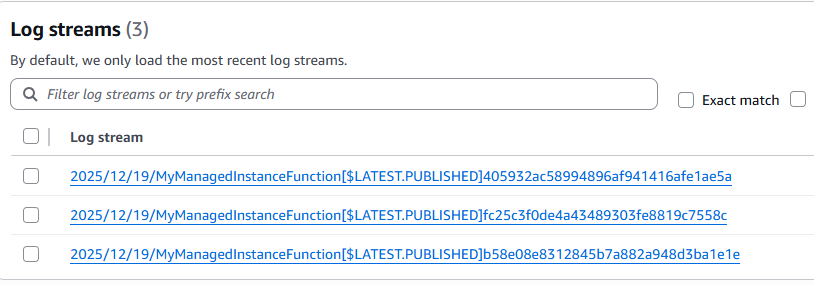
And the first one already showed something interesting right away:

{
    "time": "2025-12-19T12:51:59.735Z",
    "type": "platform.initStart",
    "record": {
        "initializationType": "lambda-managed-instances",
        "phase": "init",<<<<<<<<<<<<<<<<<<<<< What is this???
        "runtimeVersion": "python:3.14.v32",
        "runtimeVersionArn": "arn:aws:lambda:eu-central-1::runtime:1ee4e6d61a50fbb29d03b87572cc627d0a92de84530be7b21838aaedd9675804",
        "functionName": "MyManagedInstanceFunction",
        "functionVersion": "$LATEST.PUBLISHED",
        "instanceId": "2025/12/19/MyManagedInstanceFunction[$LATEST.PUBLISHED]405932ac58994896af941416afe1ae5a",
        "instanceMaxMemory": 4294967296
    }
}
"phase": "init" so do we still have cold starts?
Not quiet, let me explain:
Scaling has three levers
Scaling behavior is controlled in three places:
1.) At the Capacity Provider (as covered earlier)
Under Lambda function -> general configuration:
2.) Function scaling configuration
3.) Capacity provider configuration

The Function scaling configuration
This Setting defines how many execution environments are kept alive at minimum and maximum. In my case, this was set to 3.
After deploying a new version, all execution environments are recreated.
Capacity provider configuration
Or more precise: Maximum concurrency per execution environment (default is 32). That means up to 32 parallel invocations can happen inside a single execution environment.
In theory, that would be 3 x 32 parallel invocations. In practice, it is constrained by the Capacity Settings. With my setup, burst testing via SQS resulted in up to 5 parallel executions per execution environment.
This has important implications for Logging, and is where my spider senses for F-UPs started tingling!
Logging behavior is different
A Classic serverless Lambda has:
- One invocation per execution environment
- One log stream per execution environment
Lambda Managed Instances break that assumption.
Multiple invocations can happen in parallel inside the same execution environment and therefore in the same log stream.
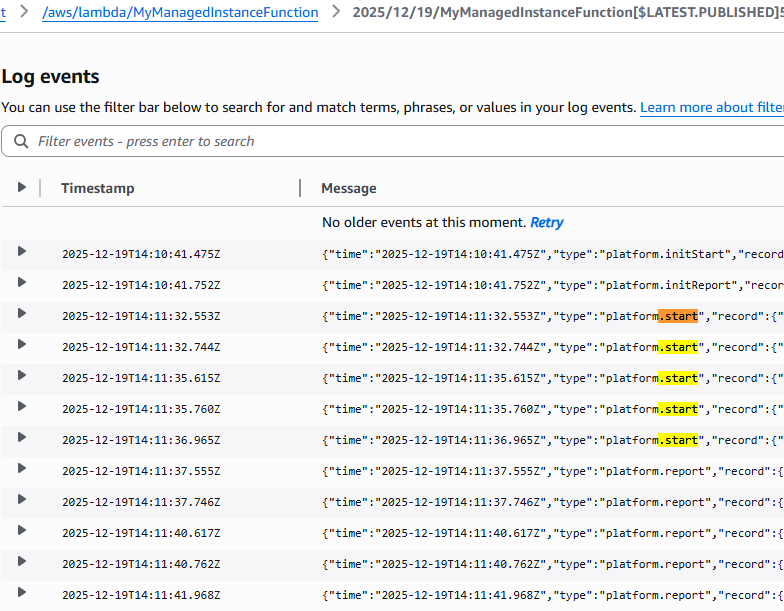
Unless you explicitly set maximum concurrency per execution environment to 1, you must assume log interleaving.
What about state?
F-UP senses tingling intensifies!
If multiple invocations run in parallel inside the same execution environment, what happens to state?
I tested this with a deliberately bad example:
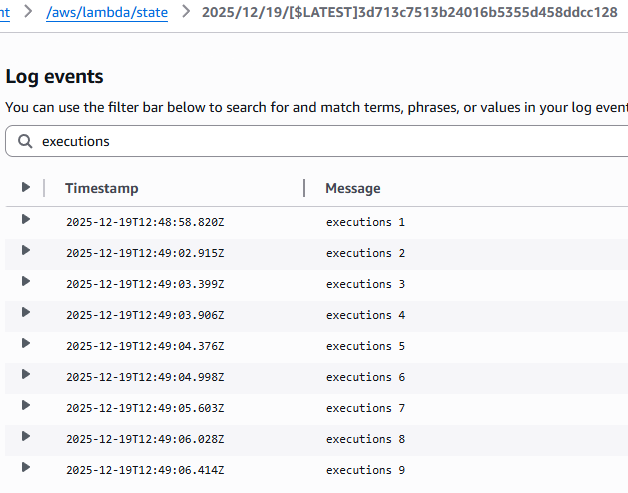
executions = []

def lambda_handler(event, context):
    executions.append(1)
    print('executions', len(executions))
With classic serverless Lambda, the counter increases as expected within the same warm execution environment and therefore: LogStream.
With Lambda Managed Instances, every invocation logged executions 1.
No shared state whatsoever.
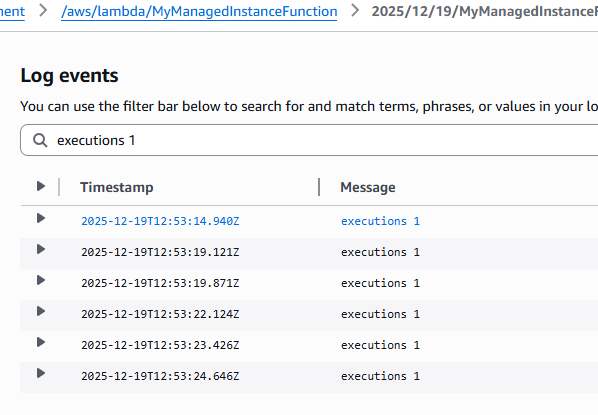
This is good news.
Despite running on EC2, Lambda seems to enforce stateless execution semantics. You should still design your functions as stateless units of work.
The ugly parts
It is currently really easy to misconfigure Capacity Providers into a broken state with very little feedback.
Examples:
- No EC2 instances spin up at all
- EC2 instances spin up but fail to initialize without logs
- Lambda reports it cannot create a viable execution environment without any further clue.
Error messages are often vague or entirely missing. CloudTrail does not really provide any meaningful records.
Another example:
- max vCPU set to 12
- Lambda memory 4 GiB
- 2:1 memory to vCPU ratio
- Auto instance selection
AWS provisioned a single 8 vCPU instance and then failed to create a viable execution environment.
Fixing this required:
- Increasing max vCPU to 24
- Detaching and reattaching the function
- Waiting for EC2 termination and reprovisioning 3 new instances,
Even though it's frustrating some times, this feature is new and I expect it to improve fast.
Ah yes and 15 minutes is still max execution time.
Final thoughts
Lambda Managed Instances currently feel more like an MVP to solve some edge cases, where this is good enough.
The core idea is solid, but there are missing guardrails. Configuration plausibility checks are weak, and visibility into failure modes needs to improve. It is quite easy to misconfigure things in a way that either silently fails or nearly bricks your setup.
That said, this is not new territory for us, right? Some of us have been doing serverless-first for 10 years and more, so we are used to holes in documentation, sharp edges in configuration, and setups that allow you to get yourself into trouble.
I will not hold myself back from using this when I see value. But right now you need to be careful and bring some patience and pain tolerance.
Also keep the economics in mind. Starting at M7.xlarge puts you in the range of roughly 200 dollars per month. You should have a better justification than just getting rid of cold starts.
Despite all of that, I really like the addition. I learned a lot and had quite some fun playing around with it.